A formula does not compute, or stays empty
A formula column with no values, some rows empty, an obviously wrong result, or nothing changing when the source data does — the order to check things in, from "still computing" to "the keys don't match".
1. It may simply still be computing
Tens of thousands of rows just imported, or a cross-table formula just written, take a few seconds to a few tens of seconds in the background. Wait, or refresh. The column being empty in that window is not an error.
2. The formula bar is red
Click the header and look at the formula bar. Red usually means: a referenced column code does not exist (a typo, or that column was deleted), unbalanced brackets or quotes, or a misspelt function name. Correct it and it computes.
3. The field type is wrong
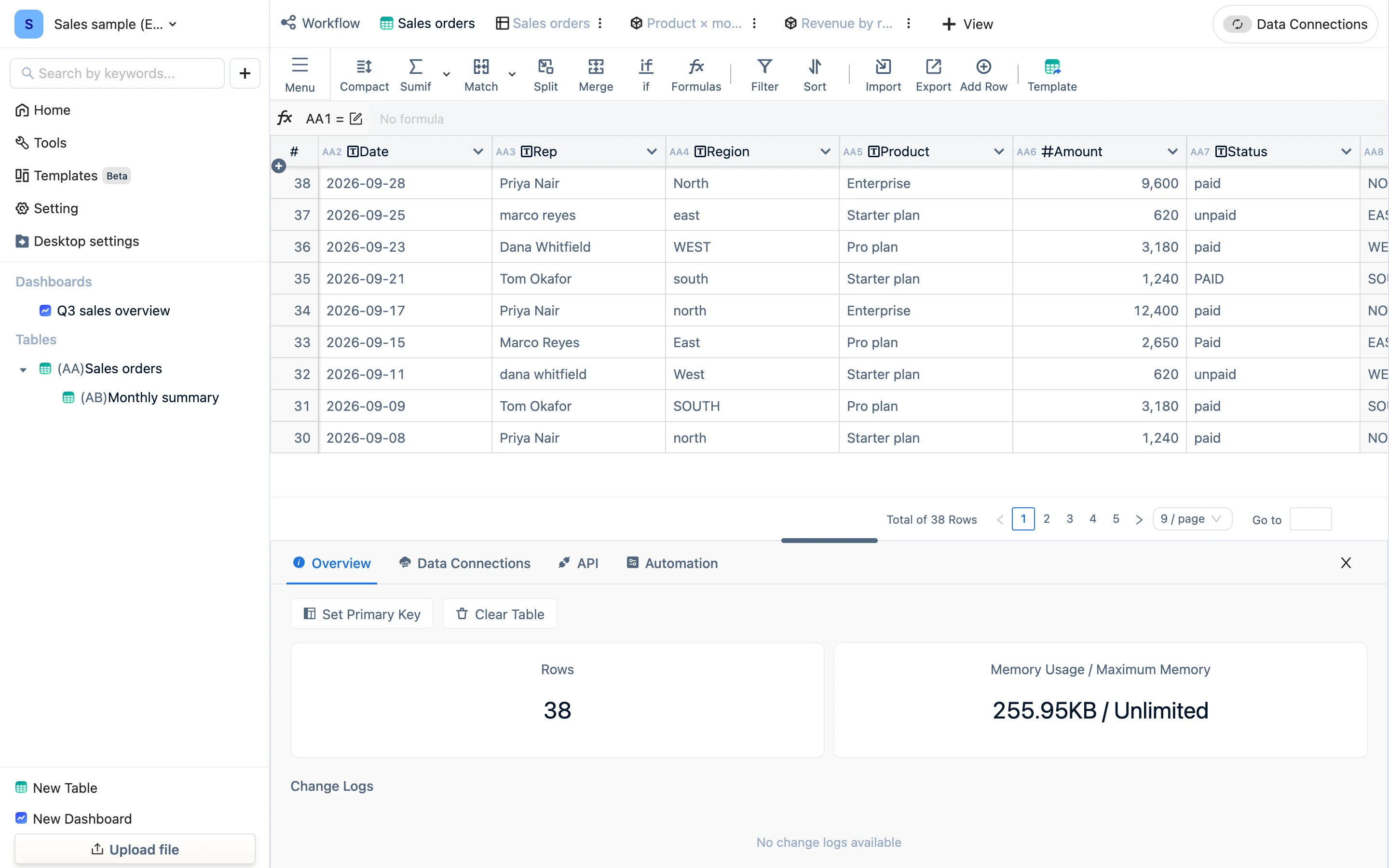
Summing or comparing a text column gives empty or 0. Look at the icon in the referenced column's header: T is text. Change the field type to numeric or date.
4. The keys don't match (a cross-table formula empty, wholly or partly)
In a formula like sumif(AA6, AB1 = AA9), the two sides of the equals have to be exactly the same:
- "East" and "East " (trailing space)
- "2026-09" and "2026-9"
- "0012" (text) and 12 (numeric)
- Different capitalisation
Fix: normalize both sides first — upper(trim(...)), dateformat(...), matching field types — and then compare. The sample workspace has a Region (clean) column specifically for this step.
5. Empty values
An empty cell is neither 0 nor an empty string. if(AA5 = "", …) will not catch it; use len(AA5) = 0.
6. Circular references
Column A references B while B references A, and the engine refuses to compute. Untangle the dependency so the data flows one way.
7. The source changed but the result did not
- Check the relations graph to confirm this column really does reference the one you changed.
- Right-click a cell → recalculate to force that cell; to recompute a whole column, delete the formula and write it again.
- The source is in another table that has been deleted, or whose column codes changed.
8. Functions beginning with x
xsumif and xcountif require the index column not to be a formula column. When it is, use plain sumif / countif instead.
Still stuck
Send the formula, the field types of the referenced columns and a few sample rows to tabledi@thingworks.com.cn — or a .tdbk backup with it, which is fastest.