Activating a license, moving computers, and every error message
After paying you get a license key and activate it in Desktop settings. One key is bound to one computer at a time, and moving is self-service. What each status and each error means, and what to do about it.
Activating
- After you buy, the key arrives by email, shaped like
A1B2C3D4-E5F6G7H8-I9J0K1L2-M3N4O5P6— four groups joined by hyphens. - Desktop settings → License → Enter your license key, paste the whole thing including the hyphens, and press Activate.
- You get Activated. Restarting the backend to apply your license — one moment…, about 5–10 seconds. The status then reads ✓ Active and the panel lists Email, Plan, Expires and the number of Unlocked features.
Activation needs the internet once. After that offline use is fine; the app just checks in quietly now and then.
In macOS 0.0.9 the key-format hint itself is wrong. The input's placeholder — and the error you get for a malformed key — both read XXXX-XXXX-XXXX-XXXX-XXXX-XXXX-XXXX-XXXX, eight groups of four. Real keys are four groups of eight. Your key is not broken; the hint is. It is fixed in the next release, and the error table below quotes the corrected text.
Back up your key
Your license key in the panel copies with one click, and beside it: Save it to your password manager. You need this key to move to another computer. Put it somewhere you will find it again.
Moving to another computer
One key is live on one computer at a time, and moving is self-service:
- On the old machine: Desktop settings → License → Move to another computer → Deactivate this computer. The confirmation asks Deactivate this computer? Tabledi goes back to the free tier here. The old machine drops to free; its data is untouched.
- On the new machine: paste the same key and activate.
Tables do not travel with the license. To take the data, export a .tdbk on the old machine and import it on the new one.
If the old machine died before you deactivated it, write to tabledi@thingworks.com.cn with your order number and we will release it server-side.
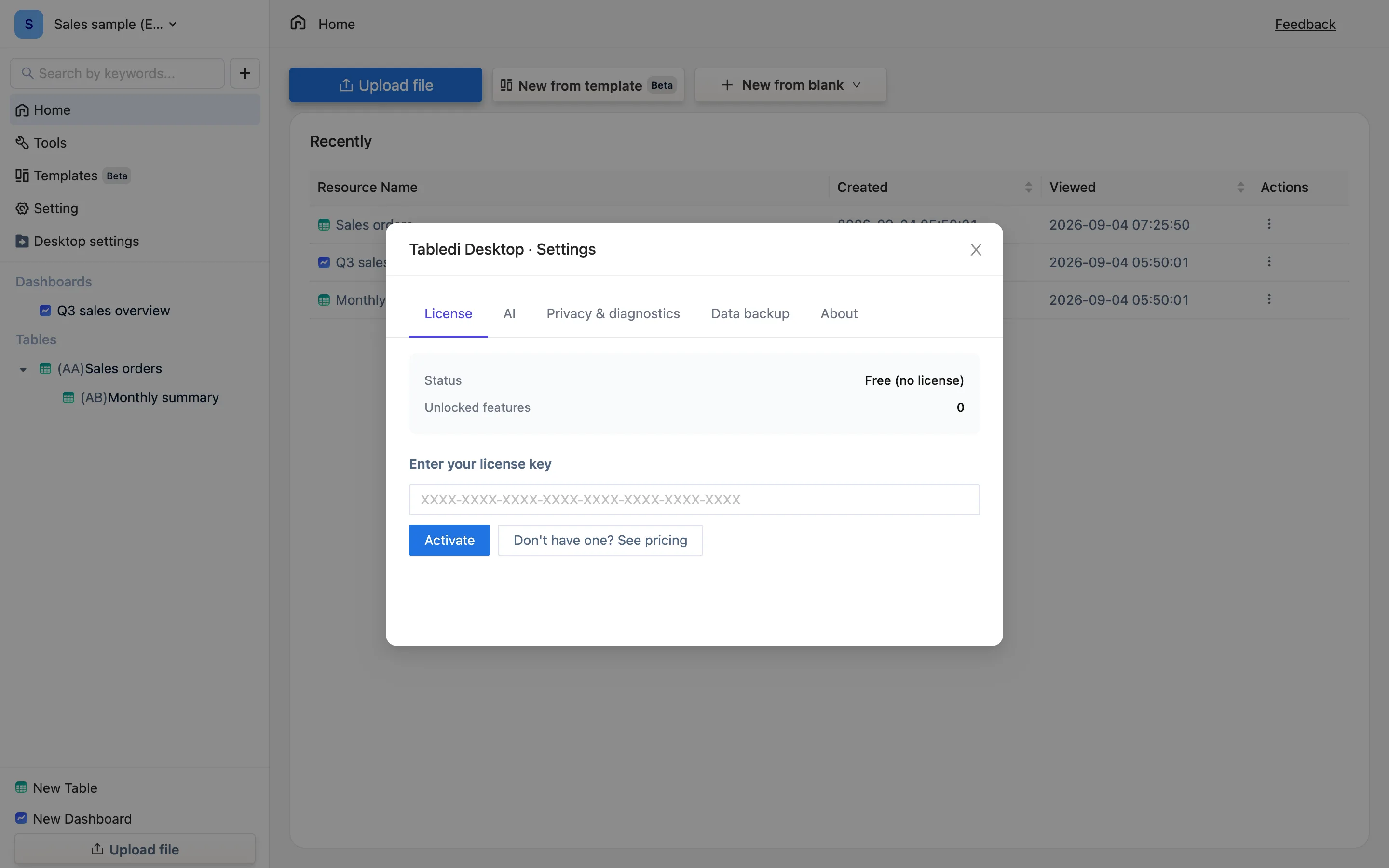
Status
| The panel says | Meaning | What to do |
|---|---|---|
| Free (no license) | No key | Use the free tier, or buy and activate |
| ✓ Active | Normal | — |
| Expired | A yearly or monthly plan ran out | Renew on the buy page and activate again; your data is untouched |
| Registered to another computer | The key is bound elsewhere | Deactivate it there, or contact us |
| Revoked | Usually a refund or a chargeback | If that does not match your situation, write to us |
| Signature invalid | The license file is damaged | Use a different key and paste it again |
| Offline for over 60 days — connect to verify | Too long without a check-in | Connect once and it recovers on its own |
Errors while activating
| Message | Cause | Fix |
|---|---|---|
| We can't find that license key — check that you copied all of it | A few characters missing | Copy the whole thing from the email, hyphens included |
| This license is active on another computer. Deactivate it there first (Settings → Deactivate this computer), then activate here | Live elsewhere | Deactivate on that machine |
| This license has expired | Ran out | Renew |
| This license has been revoked. Please contact support | Refund or an anomaly | Contact support |
| That doesn't look like a license key — it's four groups of eight characters, XXXXXXXX-XXXXXXXX-XXXXXXXX-XXXXXXXX | Stray spaces, smart quotes, or only part of it copied | Paste it into a plain-text editor, look at it, copy again |
| Can't reach the license server. Check your connection and try again | Network, proxy or firewall | Try another network; once activated, offline is fine |
After it expires
The app returns to the free tier: paid features lock, export goes back to 1,000 rows, and not one row of data is lost. .tdbk backups keep working throughout.