A formula belongs to a column, not a cell
Write one formula per column and every row calculates, including rows added later. This is the largest single difference from Excel, and the reason a change in the detail table shows up in the summary.
Write it once, it holds for every row
In Excel a formula lives in a cell — C2 = A2 * B2 — and then you drag it down column C. Next month brings 300 more rows, so you drag again; someone inserts a row in the middle and that row is blank.
Here the formula lives on the column:
AA8 = AA6 * AA7Read that as "every row of column 8 equals column 6 times column 7, on that same row". It holds for the 38 rows there now and for the 300 you paste in tomorrow. There is no dragging down, and no rows left behind.
Leave the raw column alone, derive a clean one
Because a formula covers the whole column, the right way to clean data is never edit the original — add a formula column:
- Region has stray spacing and mixed case → add
UPPER(TRIM(AA4)) - The date is
2026-09-28and you want to total by month → addLEFT(AA2, 7) - Status is written three ways → add
IF(UPPER(TRIM(AA7)) = "PAID", "Paid", "Unpaid")
The raw column stays, so you can always reconcile against it; the clean column is calculated, so next month's mess gets cleaned automatically. The four formula columns in the sample workspace are exactly this.
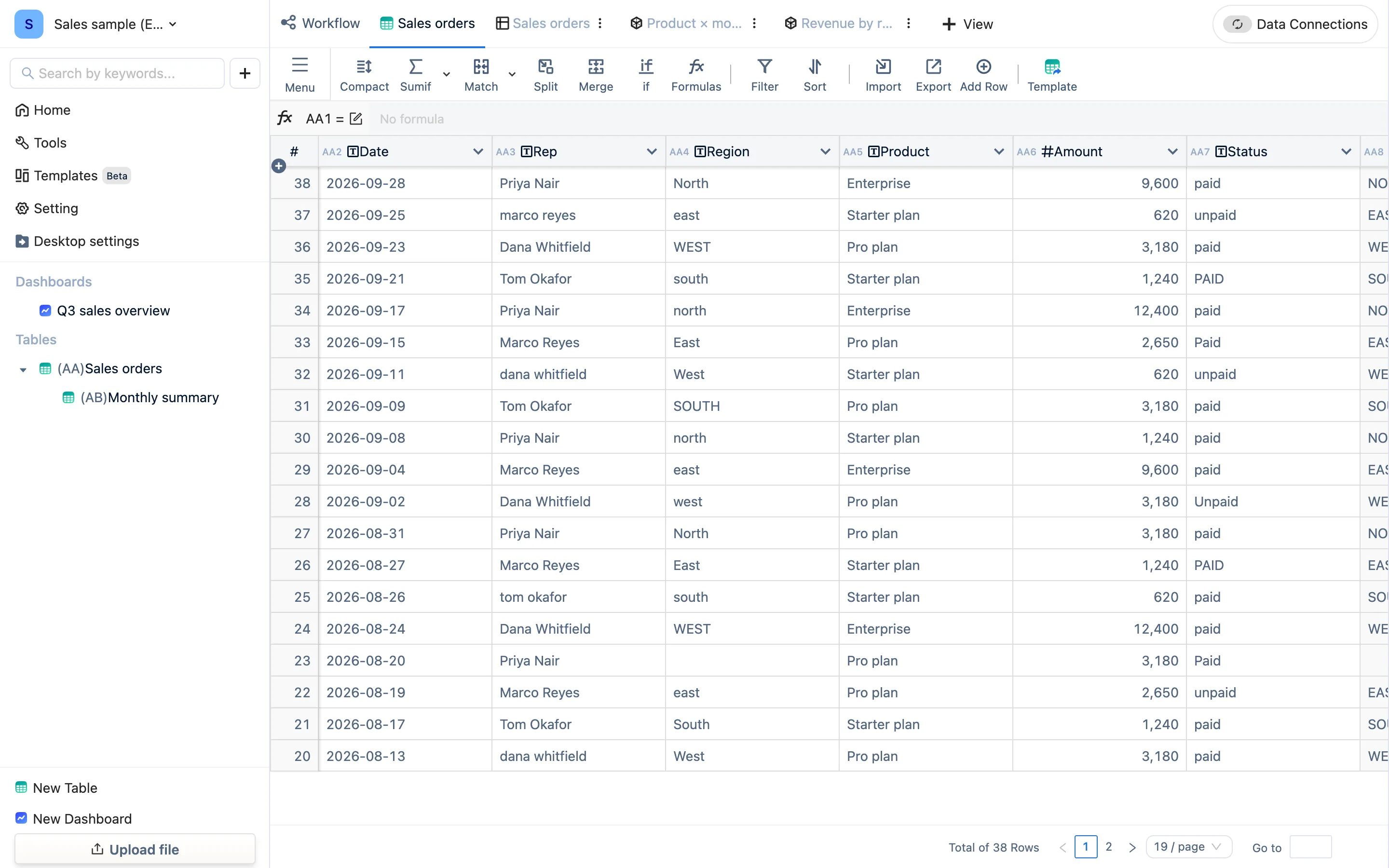
Three ways to write one
- A formula panel (Sumif / Match / Split / Merge / if in the toolbar): numbered steps, and the panel writes the formula. What it produces sits on the column and shows in the formula bar — visible and editable.
- By hand: click a header to select the column and type in the formula bar. There is code highlighting and function completion; Formulas lists every function by category with examples.
- Let AI write it: describe what you want in a sentence and get a formula back, in the same formula bar, for you to check. AI is a paid capability and needs your own API key.
Whichever route, the result is the same object: one formula on one column. A panel is not a separate system, just a faster way to write.
Formula columns are read-only
The values in a formula column are calculated and cannot be hand-edited — an edit would be overwritten on the next recalculation anyway. To maintain something by hand, delete the formula and the column becomes ordinary again.
Calculation is asynchronous
Just after importing tens of thousands of rows, or just after creating a cross-table formula, a formula column may take a few seconds to fill. During that window it is empty — that is not a wrong answer. Wait, or refresh the page.
Two kinds of reference
- Same table:
AA6 * AA7, columns on the same row. - Cross table:
SUMIF(AA6, AB1 = AA9)— inside table AB, summing over table AA where "AA's month equals this row's month". Cross-table references are what linked tables are built from; the next page covers tables, views and dashboards, and the one after that covers linking.