AI errors
AI unavailable, an error, an empty answer — check the paywall first, then the key and the endpoint, then your provider's balance and your network, and finally the Credit -1 bug in older builds.
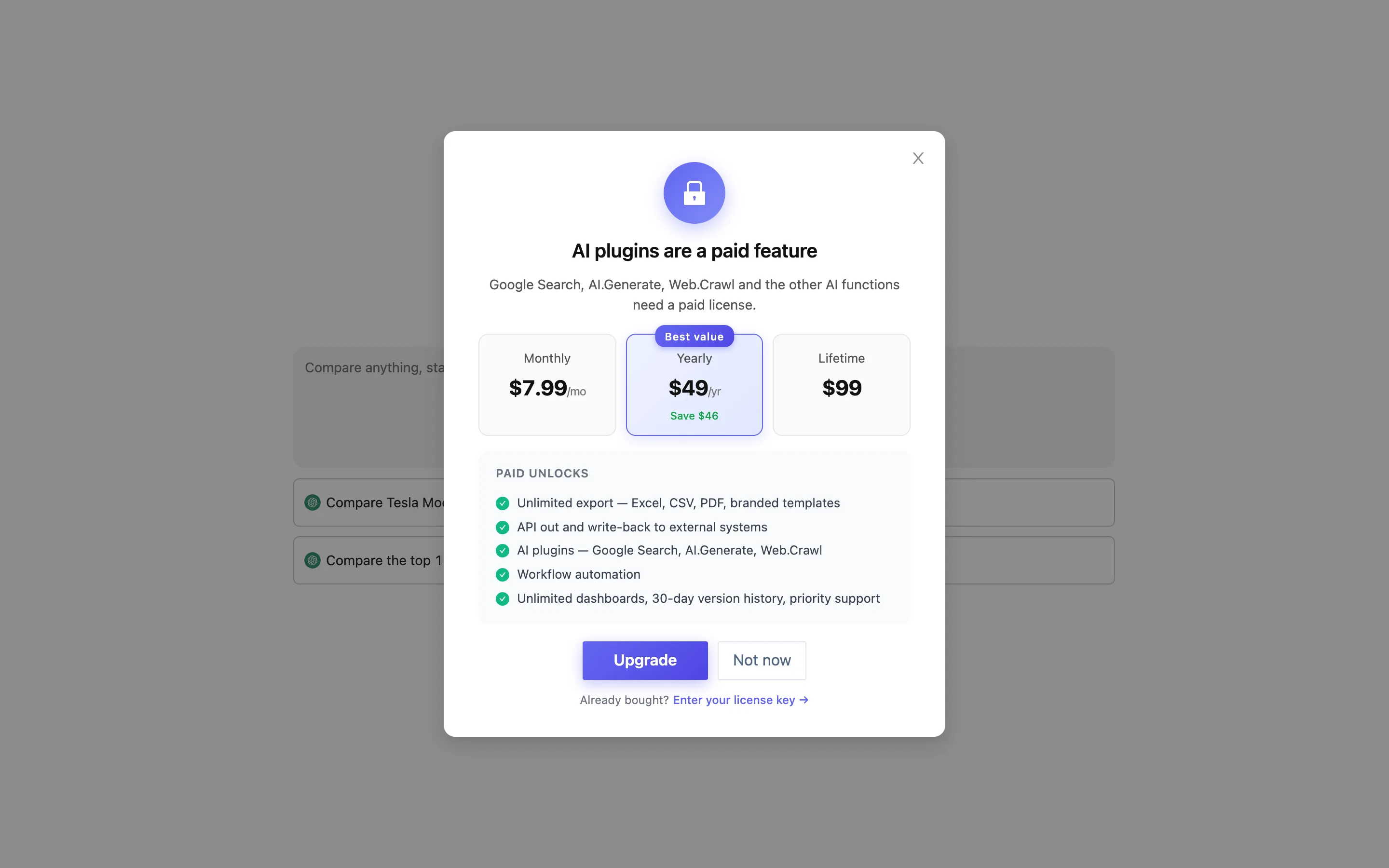
"AI plugins are a paid feature"
The most common one, and it is not a fault: a free license has no AI features at all. Ask AI, the suggestions in the panels, AI-written formulas, image-to-table and the AI and web functions all go through /api/next/ai/* and /api/next/beta/ai/*, and a free license is refused by the backend (HTTP 402), which raises:
AI plugins are a paid feature — Google Search, AI.Generate, Web.Crawl and the other AI functions need a paid license.
Fix: activate a paid license, then configure your own API key. Both are required.
It asks for a key, or the entry point is greyed out
No API key is configured. Desktop settings → AI, paste the key, save, and wait for the engine to restart. See Bring your own API key.
Authentication failed (401 / invalid api key)
- The key was copied incompletely, or with spaces or quotes around it. Paste it again.
- The key belongs to one provider while the endpoint points at OpenAI, or the other way round. The key and the address have to match.
- The key was deleted or expired in the provider's console. Generate a new one there.
Cannot connect, or times out
- The endpoint is wrong: it wants a full URL, usually ending in
/chat/completions. Leaving it empty is valid only for OpenAI itself. - The network cannot reach the provider. Use a service you can actually reach, or fix it at the network level.
- The provider is having an outage. Try later.
Model not found (404)
The name in Model is not one the provider recognizes. Leave it empty for the default, or copy the exact name out of the provider's documentation.
Out of credit, or rate limited (402 / 429)
The provider account has run out, or calls are too frequent. Top up, or slow down — AI functions run once per row, so a large table fires thousands of calls at once. Try them on a small table first.
The answer is empty, or plainly wrong
- Image to table: the picture is blurred, skewed or handwritten. Shoot it straight and sharper.
- The panel suggestions find nothing: the headers have no readable column names (all "untitled"). Name the columns first.
- A web function fetched nothing: the target site blocks scraping or needs a login.
Credit: -1 in the corner of the window
Desktop builds before 0.0.9 had a bug: -1 was used internally to mean "no quota", but the quota model had no concept of "unlimited", so -1 was read as a real negative balance, every AI request was judged over-limit, and the corner of the window showed Credit: -1. Fixed in 0.0.9 — update (Desktop settings → About → Check for updates) and the current build has no quota concept at all. It is in the changelog.
If what you see instead is a message about credits or a plan not covering the feature, that is a team-edition plan limit and not this bug.
Still stuck
Desktop settings → Privacy & diagnostics, turn crash reports on and reproduce it once; or send us the log (the location is in How to report a problem). The log does not contain your key.