Conditional if
Label or pick a value per row by condition. The panel's three steps, the formula it writes, five worked examples, and the three conditions that silently never match.
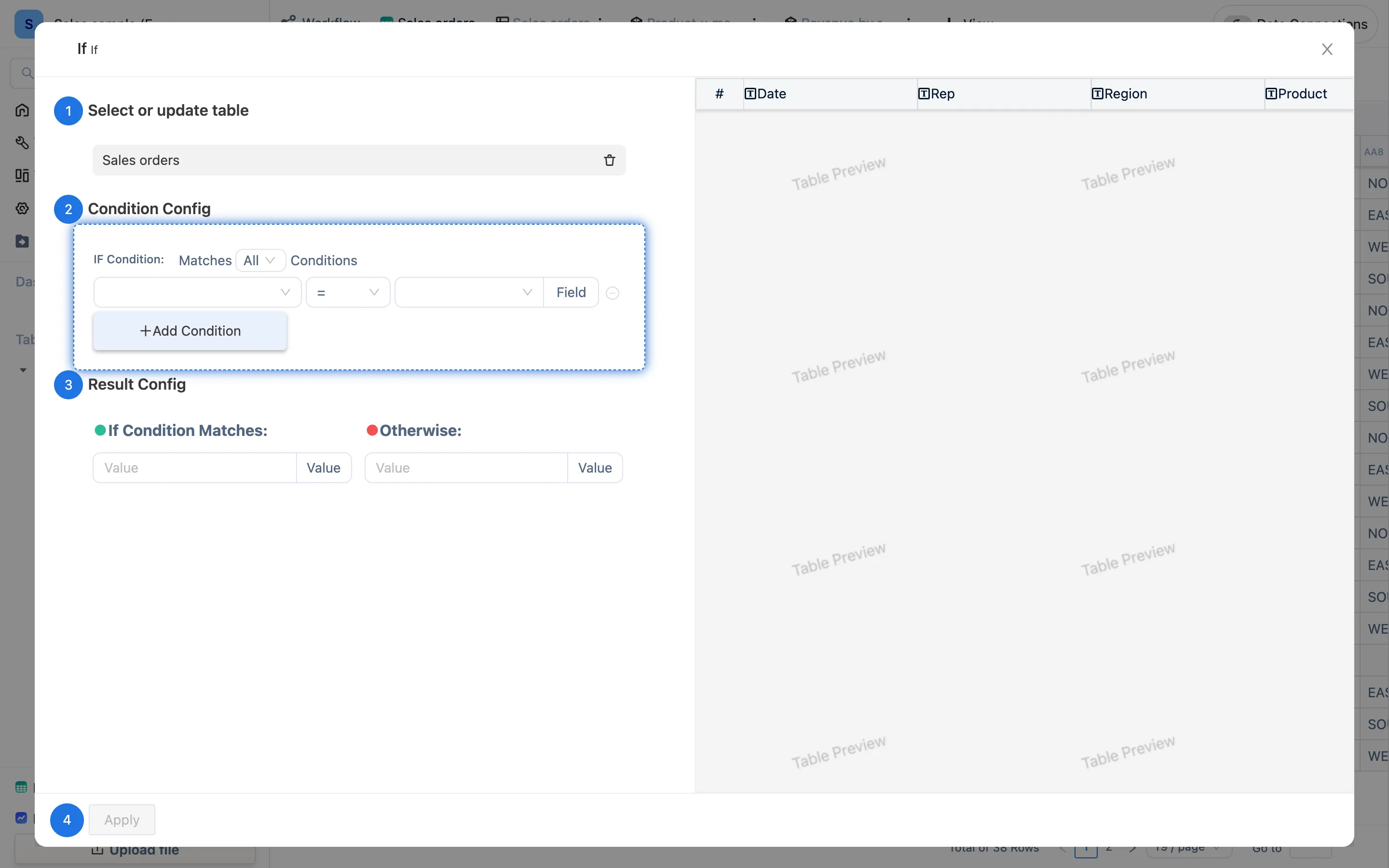
The panel
if in the toolbar:
- Select or update table — the current one by default.
- Condition Config — IF Condition: Matches All Conditions (the dropdown switches to Any), where each condition is a field, a comparator and a value. The button at the end of the row toggles the right-hand side between a literal and a Field. Comparators: equals, not equals, greater than, less than, greater or equal, less or equal, contains, does not contain. +Add Condition adds more.
- Result Config — If Condition Matches: and Otherwise:, each taking a Value, or toggled to Field to take that field's value.
- Apply. The new column appears at the right of the table.
Writing it by hand
The panel produces exactly this, on the new column:
if(condition, value when true, value when false)| What you want | Formula |
|---|---|
| Over 1000 is a "big" deal, otherwise "regular" | if(AA6 > 1000, "big", "regular") |
| Take the amount if paid, otherwise 0 | if(AA7 = "PAID", AA6, 0) |
| Both conditions | if(AA6 > 1000 and AA4 = "EAST", "key", "") |
| Either condition | if(AA7 = "unpaid" or AA7 = "partial", "chase", "") |
| Nested, three bands | if(AA6 > 5000, "A", if(AA6 > 1000, "B", "C")) |
Text values go in double quotes; and / or join conditions; a condition can compare two columns directly.
Where it sits in a pipeline
An if column is usually an input to something else:
- Make a "Paid?" column with
if, thenSUMIFover it to get "Collected" — exactly howAA10andAA11are built in the sample workspace. - Make an "Overdue?" column with
if, then use a color rule or a filter on a dashboard to surface the overdue ones. - Make a status column with
if, then use it as an automation trigger condition.
When a condition never matches
- Comparing text against a number. With the amount column typed as text,
AA6 > 1000is never true. Fix the field type first. - Reference numbers with leading zeros.
"0012" = 12is false; write the condition as text too:"0012". - Empty cells. An empty cell equals neither
0nor"". To test for empty, uselen(AA5) = 0.